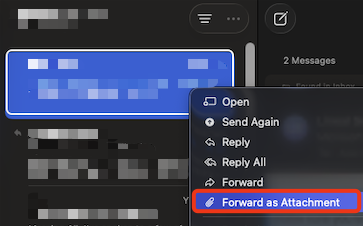
- Find the email that you wish to send as an attachment
- Right click on the email
- Select "Forward as Attachment"
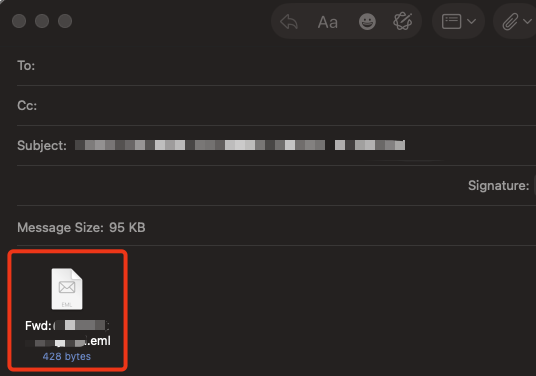
- This then opens a new email with the email attached as an EML file ready for sending
Was this article helpful?
That’s Great!
Thank you for your feedback
Sorry! We couldn't be helpful
Thank you for your feedback
Feedback sent
We appreciate your effort and will try to fix the article