- Login to N-Able Cove: https://backup.management/#/backup/overview/view/1662
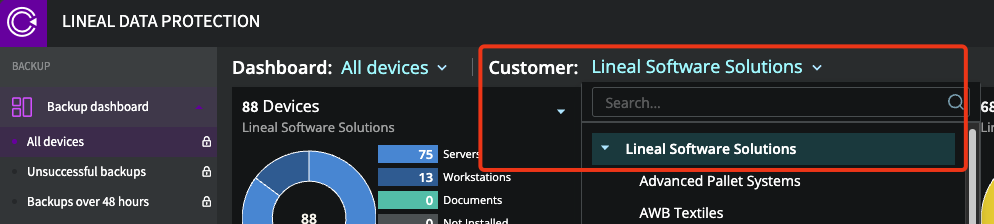
- Ensure the Lineal MSP level is selected
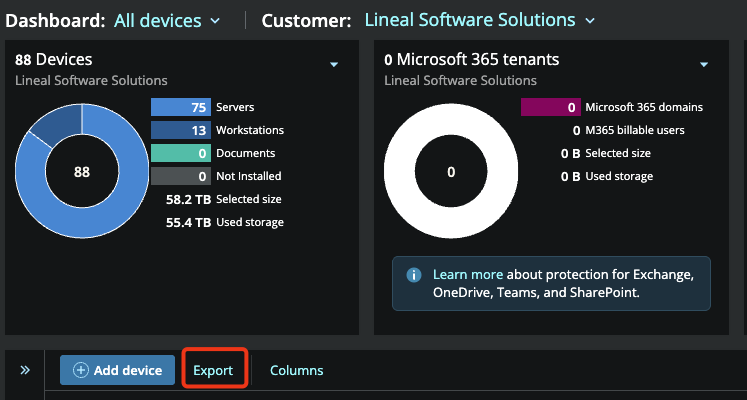
- Select "Export"
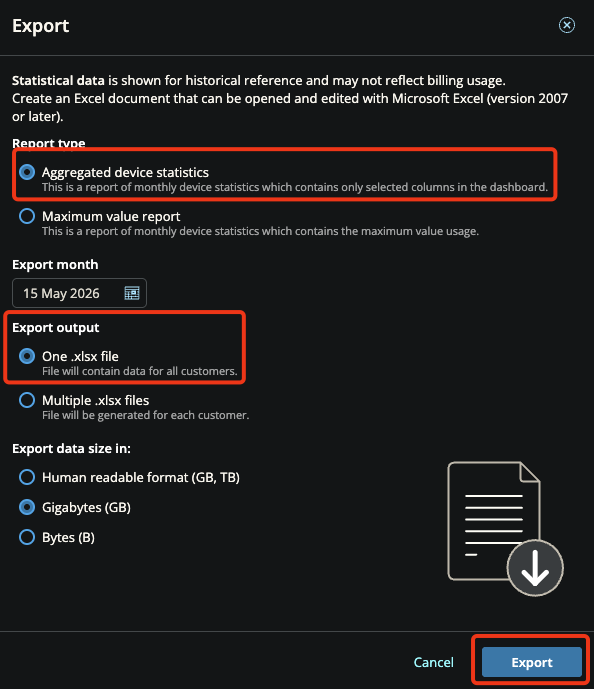
- Select "Aggregated Device Statistics" and "One .xlsx file" and "Export"
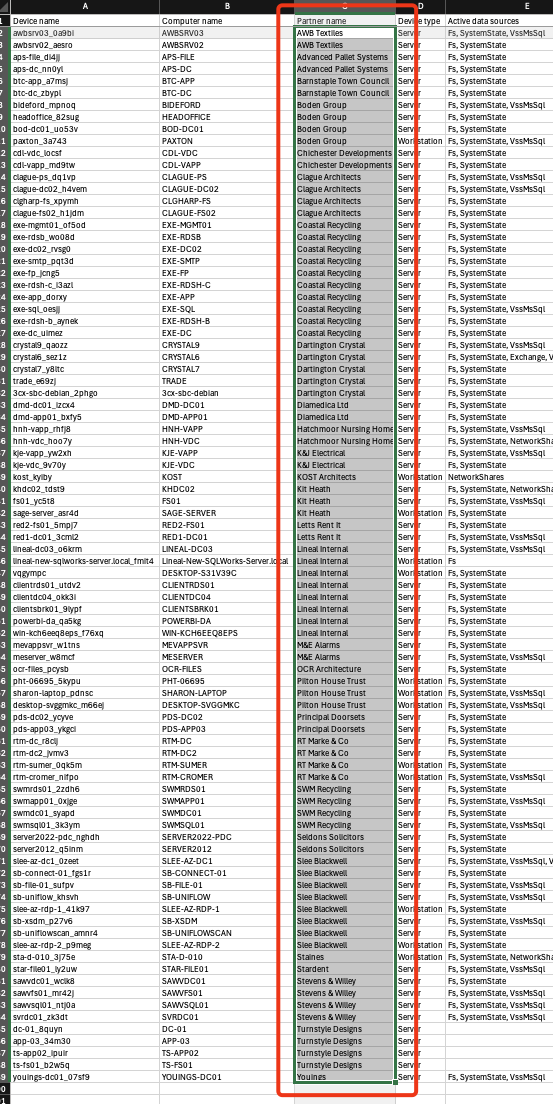
- Open the Excel spreadsheet that will start downloading
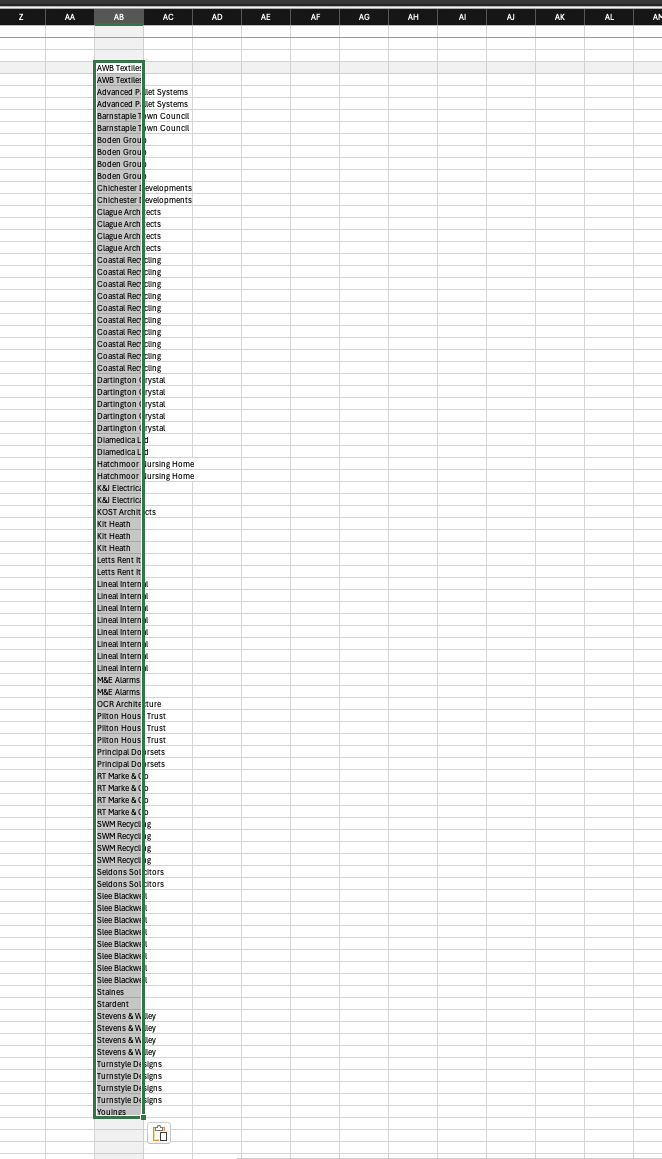
- Highlight over all values in the "Partner Name" column:
- Scroll across to some empty space in the spreadsheet and paste the list of customers
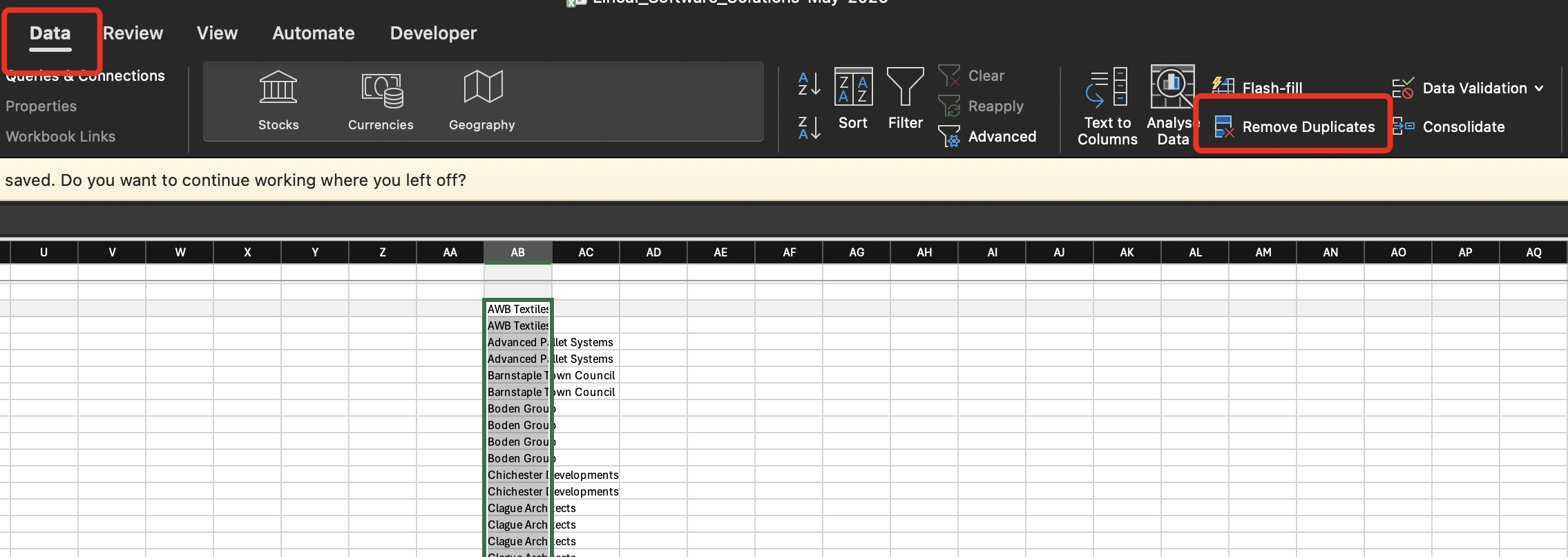
- Whilst still selecting all of the pasted value, select the "Data" tab and select "Remove Duplicates"
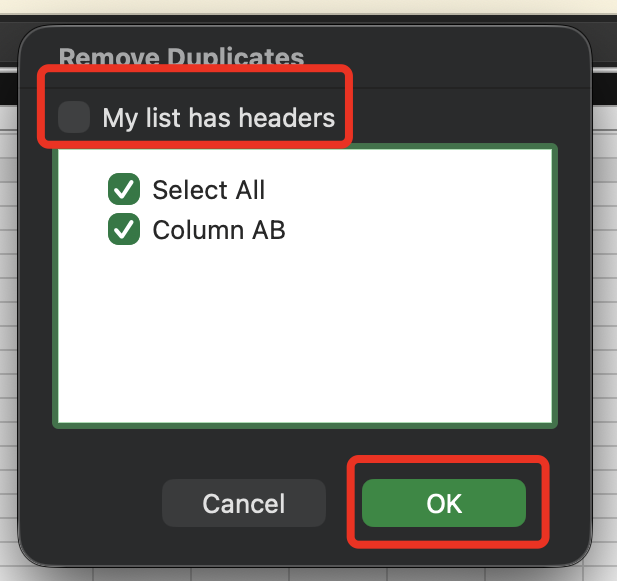
- Ensure that "My list has headers" is unticked and then select "OK"
- You should then have a list of each unique customer
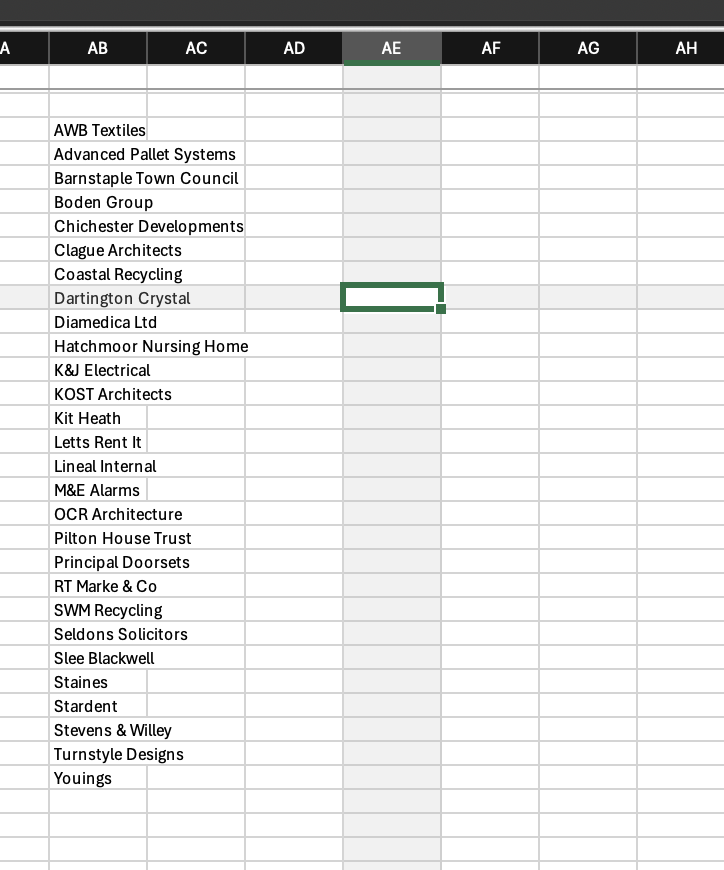
- Select the cell next to top customer:
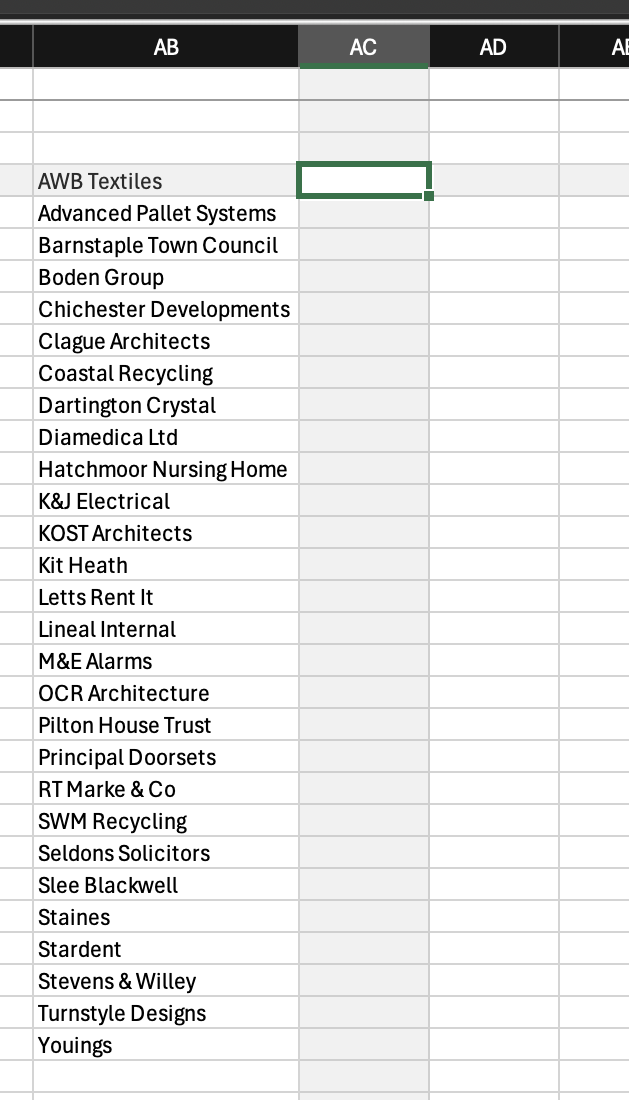
- In that cell, type "=COUNTIF("
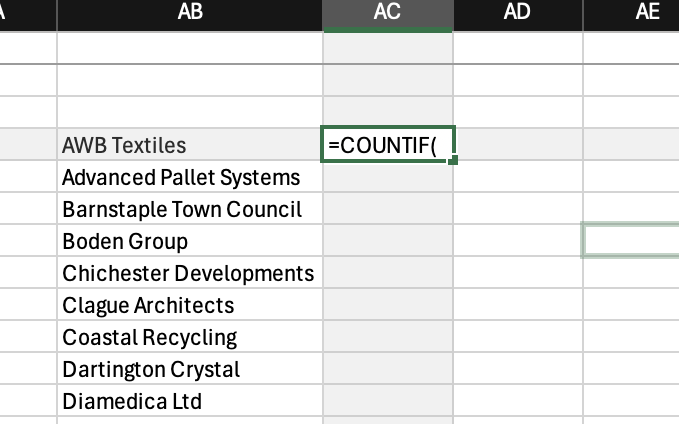
- Select the large customer list from the original data (the customer list with duplicates)
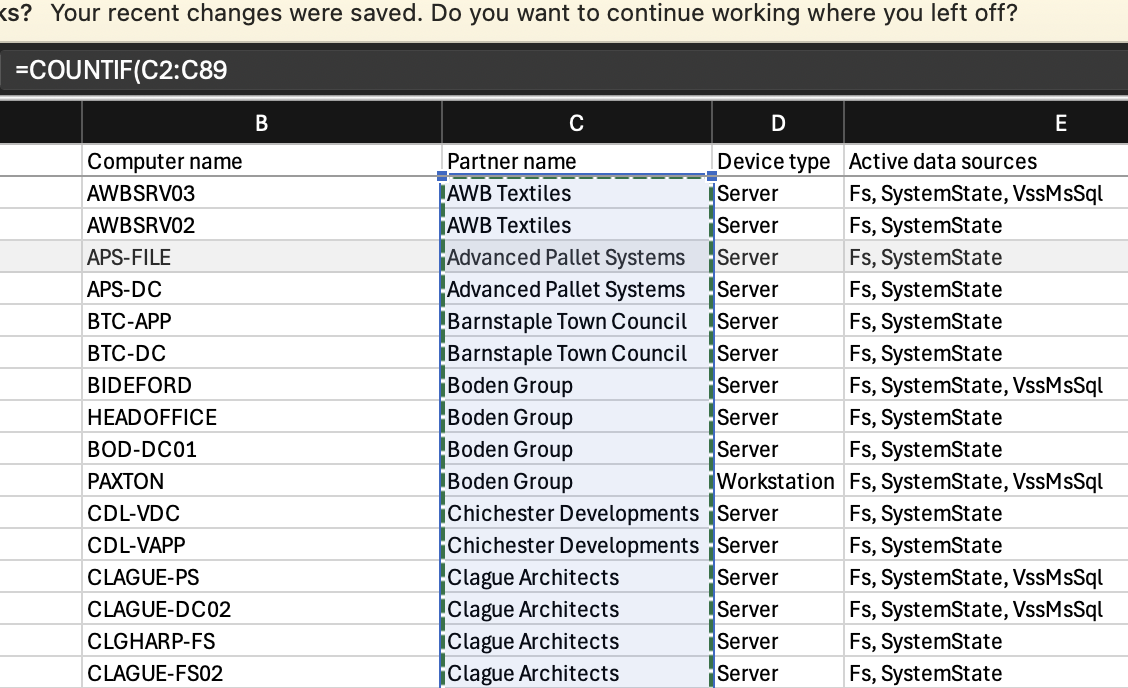
- Then type "," and select the top customer, this should leave the formula looking something like this:
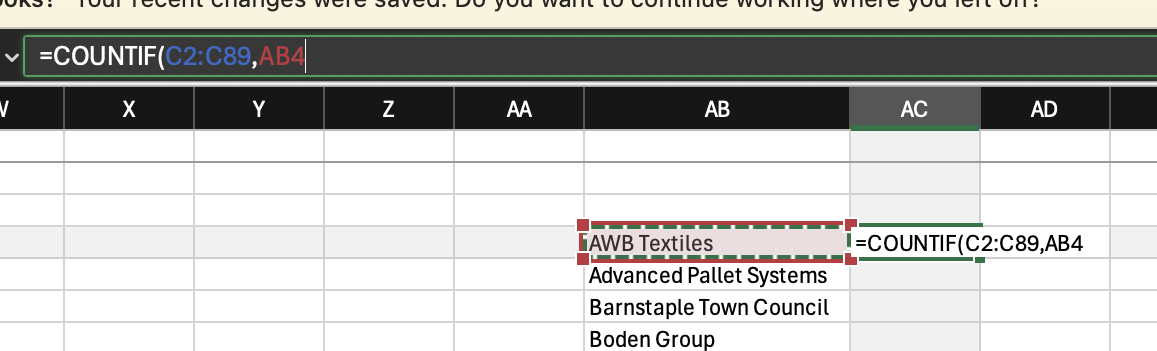
- Press the Enter key
- You will then see a count of how many seats that top customer has:
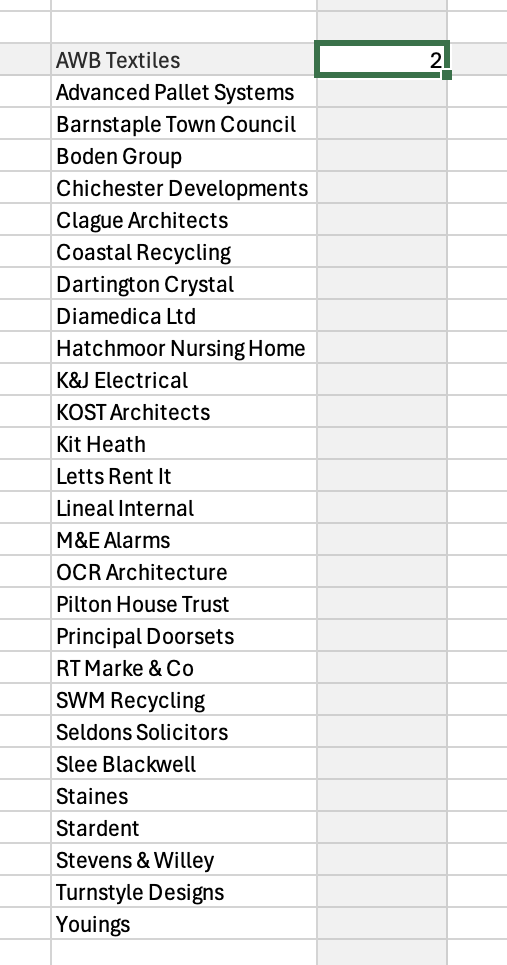
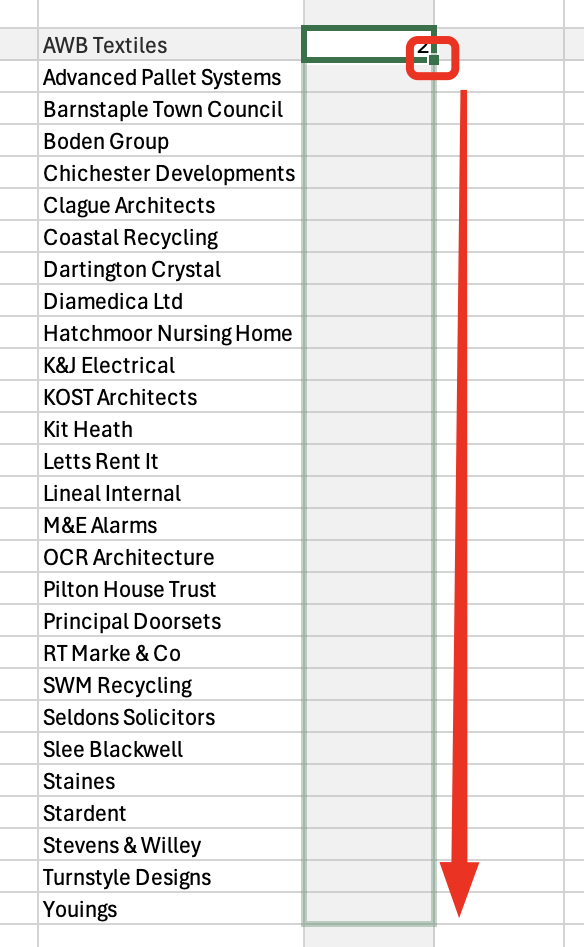
- Click and drag the green box in the bottom right corner of the select cell down to the bottom of the list
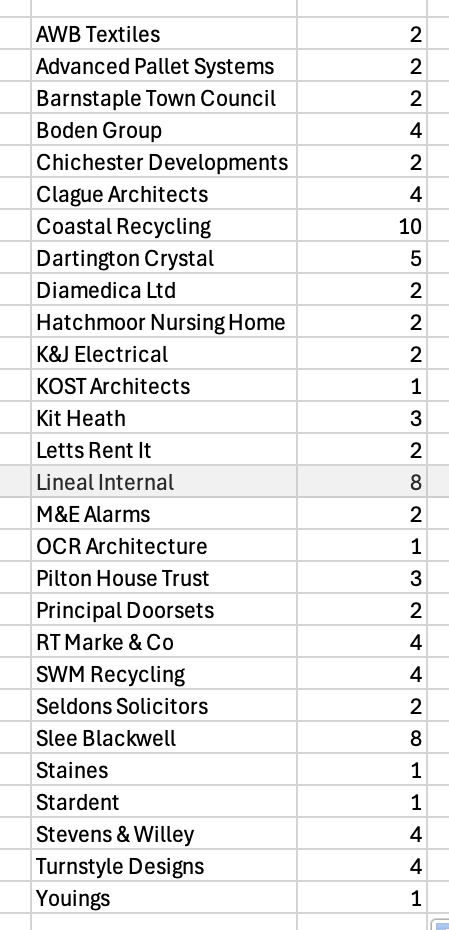
- This will leave you with your seat count for each customer
Was this article helpful?
That’s Great!
Thank you for your feedback
Sorry! We couldn't be helpful
Thank you for your feedback
Feedback sent
We appreciate your effort and will try to fix the article